

The GDPR checklist for HR teams who build their own tools
Know which HR tools you can build under GDPR, and ship them with privacy built in from the first prompt.

Written by
Joris Luijke, Co-Founder & Co-CEO
"You can't do that because of GDPR"
Easily the quickest way to kill an HR tool before it's built.
Someone says it in a meeting. Nobody in the room has read the regulation (it has 99 articles, so fair enough). The idea dies, and the team goes back to the spreadsheet.
I've built a dozen HR tools with AI, and I wanted to know how much of that sentence is true. So I did the reading. The regulation, the regulator guidance, the court rulings, the fines.
Less of it is true than you'd think.
Oversimplified, GDPR is a checklist. Six questions. Your HRIS has to answer the same six. Nothing in there bans AI. Nothing bans building your own tools.
I've also turned all of it into something you can use today. One MD file. Save it in your project, tell Claude, Codex, Cursor or Lovable to read it, and your assistant builds with these rules from the first prompt.
Make your AI a
GDPR design partner
Rules file to add to Claude, Codex, Cursor or Lovable when you build your HR tool.
The rest of this post is the thinking behind it.
The six questions
1. Why do you need this data?
Write the purpose in one sentence before you pick a single field. A new purpose for old data is a new decision. Payroll data was collected to pay people. It was never collected to predict who might resign.
2. Do you have a legal reason to use it?
GDPR offers six. In HR, three do nearly all the work: the employment contract, a legal obligation, and your legitimate interest as an employer.
Consent is the weak one. Europe's regulators take the view that employees can rarely say a free "no" to their employer, so consent only holds for optional extras. (The birthday list, yes. The performance system, no.)
Health data, union membership, religion and a few other categories need a second, stricter reason on top. That's your cue to call your privacy lead. In Europe that is often a Data Protection Officer, or DPO.
3. Is it the minimum?
Fewer fields. Fewer people. Less free text. Free-text boxes are where health details and grievances turn up without anyone planning for it.
4. Do the people in it know?
A plain page inside the tool: what you collect, why, who sees it, how long you keep it. Plus a line in the privacy notice.
5. Who can see it, and is it locked down?
The best-known HR fine under GDPR went to H&M. €35.3 million, in 2020. Managers at one site kept notes on employees' illnesses, family problems and religious beliefs on a shared drive.
A permissions mistake is what exposed it. A configuration error made the notes visible to the whole company for a few hours. Any home-built tool with loose permissions can repeat that in an afternoon.
6. How long do you keep it?
Every table needs a retention period and something that deletes on schedule. Anyone can ask for a copy of their data, and you generally have a month to hand it over.
For rejected candidates there is no single EU rule. Practice runs from about four weeks in the Netherlands to around six months in Germany and up to two years in France.
If you read my vibe-coding field guide, this list will look familiar. Collect less. Tell people what you're collecting. Delete on a schedule. I'd landed on those as good practice. They also happen to be the law.
Where home-built tools break
I know where they break because it's where I got stuck. Plumbing. Supabase. Authentication. Who can see what.
I hear the same from HR people who build. In August I spoke with someone in HR at a large European financial services company. They'd been sitting on an idea for a performance tool for a long time. Hosting was the hold-up. The platform their company already trusted with client data was judged too risky for employee data, so the idea had nowhere to live.
In October someone who had already built her own HR tools put it another way. Her question was which engineer she could trust with the data.
Last year a security researcher scanned 1,645 apps built on one popular vibe-coding platform. 170 had databases that anyone could read or write. No hacking required. The permission rules were missing or left wide open.
That's an engineering problem, and a fixable one. GDPR has a name for fixing it before launch: data protection by design. Article 25.
The defaults that fix it:
→ Everyone signs in as themselves. No shared logins, no public links.
→ Deny by default. Employees see their own records. Managers see their reports. Enforced on the server, table by table.
→ A separate home for HR tools. Don't host them next to the marketing and sales apps the rest of the company has vibe-coded. Whoever runs those apps should have no route into the HR database.
→ Fake data while you build. Real records never go into a prompt, a test or a screenshot.
→ A delete job for every table.
→ Export and delete for any one person. You'll need it the first time someone asks for their data.
→ EU hosting when your people are in the EU.
One distinction saves a lot of confusion: build time and run time.
Build time is what you type into the coding assistant. Keep real employee data out of it. Consumer AI plans can train on your conversations unless you switch that off. Business and API plans exclude training by default and come with a data processing agreement. Know which one you're on.
Run time is what the finished tool does with real data once it's live. That's where hosting, logins and permissions earn their keep. When I built an offboarding automation demo, I ran it on synthetic BambooHR data for this reason. An agent reading real employee records was a line I wouldn't cross for a demo.
(This is also why we put hosting, sign-in and permissions into Pyn. I didn't want every HR team to fight the same plumbing I did.)
Four lanes. Three are yours to build.
Three questions sort any idea into a lane. Start at the top and follow the arrows.
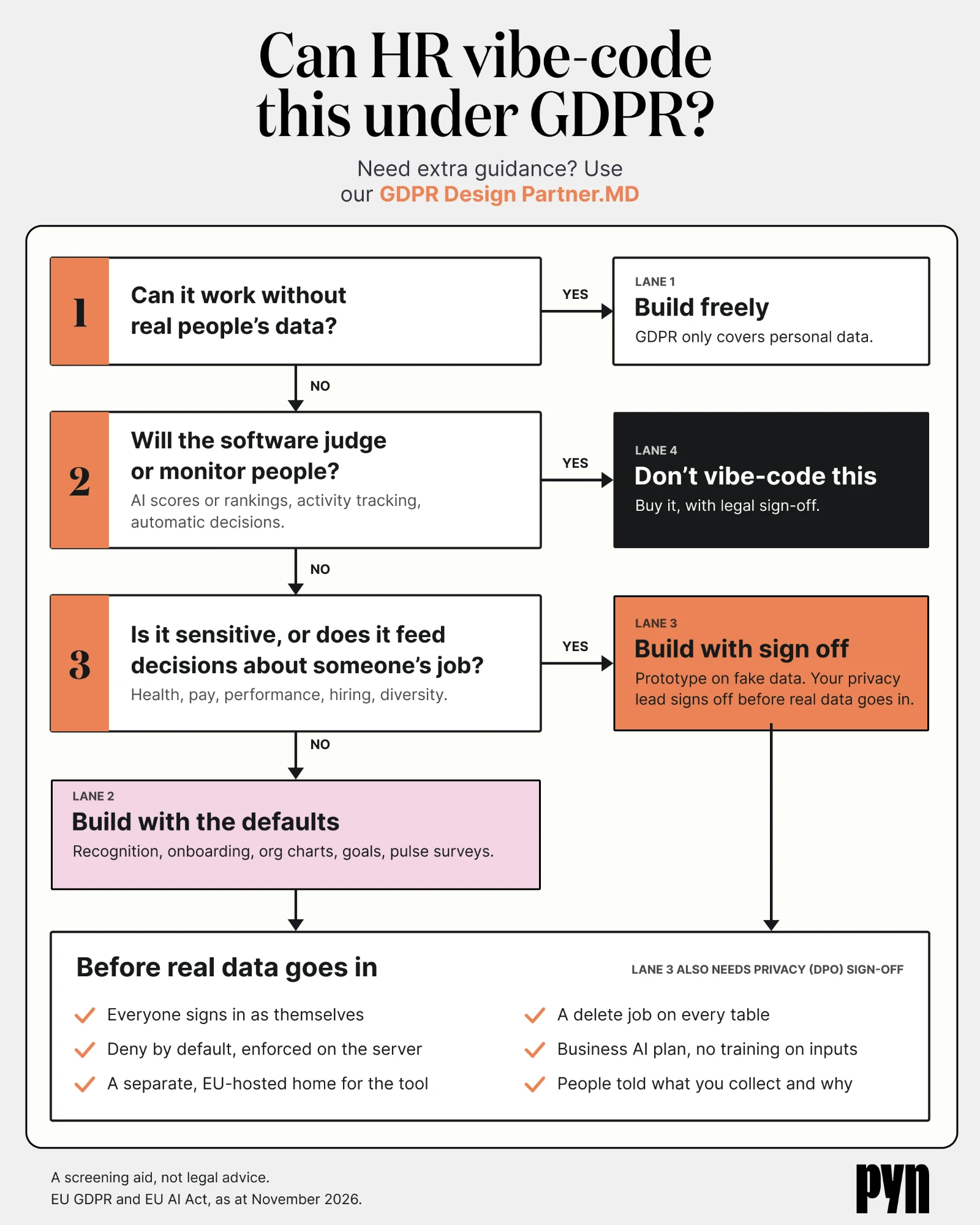
Save it, share it, pin it next to your desk (full-size PNG). The GDPR Design Partner file it mentions is here.
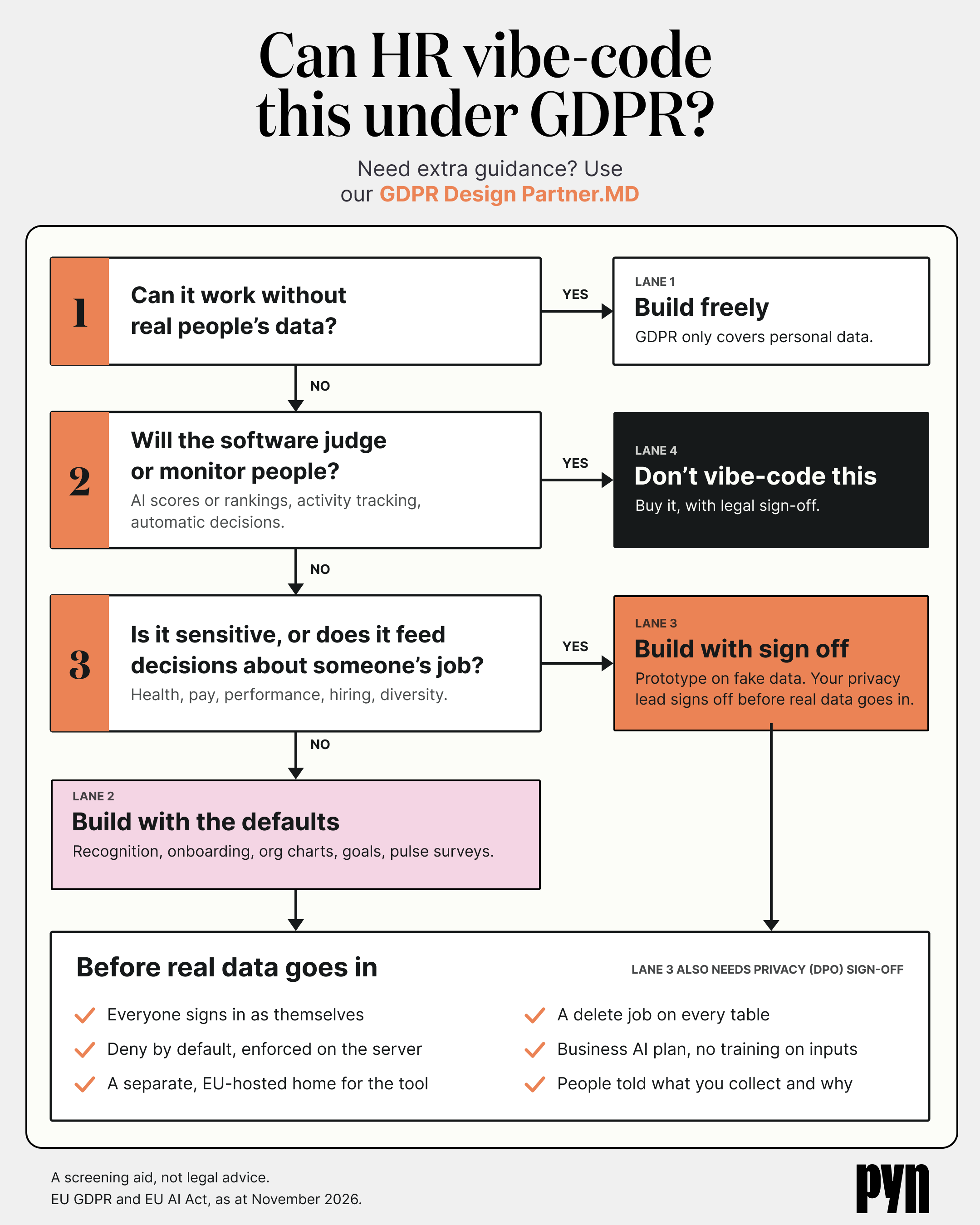
The same four lanes in words:
→ Lane 1: build freely. No real people's data. Policy drafts, job descriptions, templates, prototypes on fake data. GDPR only covers personal data, and there is none here.
↳ One trap: a public LinkedIn profile is still personal data.
→ Lane 2: build with the defaults. Everyday employee data. Recognition, onboarding, org charts, goals, pulse surveys.
→ Lane 3: build with sign-off. Sensitive data, or anything that feeds decisions about someone's job. Performance, pay, recruitment workflow, leave and health, diversity data. Prototype on fake data. Your privacy lead signs off before real data goes in.
→ Lane 4: don't vibe-code this. Software that judges or monitors people. AI scores or rankings, activity tracking, automatic decisions.
Lanes 2 and 3 end at the same box. Six things to have in place before real data goes in:
→ everyone signs in as themselves
→ deny by default, enforced on the server
→ a separate, EU-hosted home for the tool
→ a delete job on every table
→ a business AI plan with no training on your inputs
→ people told what you collect and why
A performance review tool shows how the lanes work. Reminders that chase people to finish their reviews are Lane 2. The tool that holds the reviews and ratings is Lane 3. AI that writes the rating is Lane 4.
Lane 3 is where I've changed my mind. My first rules file, back in May, put performance and pay in a tier called "hard no". Since then I've watched HR teams build review cycles, goal tracking and talent tools on proper infrastructure. It works. What they need is their privacy lead in the design from the start.
The narrow danger zone
Lane 4 is small and easy to name.
HR people already sense where it is. In September someone on the People team at one of our customers, with a lot of employees in Germany, asked me how we handle AI and employee data. Her read was that evaluating employees with AI is off the table, and that everything around it gets grey.
The instinct is sound. AI that judges people is where the real limits are. This is the grey part, made smaller.
→ Decisions with no human who can say no. GDPR Article 22 bars decisions made solely by a machine when they seriously affect someone. In August 2026 the Dutch regulator fined Uber €825 million for deactivating drivers by algorithm. (Uber has appealed.)
→ Scores that become decisions. In 2023 the EU's top court ruled that a score can itself be the decision when the human leans heavily on it. A manager clicking "approve" on a ranking they can't question doesn't change that.
→ AI that screens or ranks candidates. In November 2026 Europe's data protection regulators picked automated hiring decisions as their joint enforcement topic for 2027. The EU AI Act treats recruitment and worker-management AI as high-risk from 2 December 2027. Build one yourself and you can become its "provider", the role with the heaviest duties.
→ Monitoring and emotion reading. Reading emotions from voice or face has been banned in EU workplaces since February 2025. Analysing written survey answers sits outside that ban, which is good news for anyone running a pulse survey (I built one). Judging individuals from their Slack messages is still monitoring.
My rule hasn't changed.
Vibe-code the rituals. Buy the systems of record.
Lane 4 is a buy, with lawyers in the room.
Getting the sign-off
Lane 3 needs a sign-off from your privacy lead before real data goes in. Tell them when you start. If they first see the tool when it's finished, expect changes.
They will probably ask for a DPIA, a data protection impact assessment. It sounds heavier than it is. It's a structured write-up: what the tool does, what could go wrong for the people in it, and what you've done about it.
Regulators use nine criteria to decide when you need one, and two is usually enough. Employees count as "vulnerable" because of the power gap with their employer, so every HR tool starts with one criterion already ticked. Expect a DPIA for anything in Lane 3.
If you have a works council, talk to them early too. In Germany they have a formal say over any system capable of monitoring behaviour or performance, and courts read "capable" broadly.
Then make the conversation easy. One page: purpose, people, fields, who decides, who can see what, where it runs, how long you keep it, what's still open.
The file that does the boring part
Your AI coding assistant can do most of this work. It needs to be told.
Someone asked me in September what guardrails I'd give a person who vibe-codes an HR tool, beyond what a general coding platform offers. The MD file from the top of this post is my long answer. Once your assistant has read it, it works as a GDPR design partner:
→ sorts every feature into a lane before it writes code
→ builds logins, permissions, retention and deletion into version one
→ keeps real employee data out of your prompts
→ writes the one-page brief for your privacy lead
→ says so when an idea belongs in Lane 4, and offers the closest thing that doesn't
Get the file: GDPR_DESIGN_PARTNER.md
To switch it on, save it in your project folder and add one line to your CLAUDE.md or AGENTS.md telling the assistant to read it before it designs anything.
It's free. Take it, change it, tell me what I missed.
Usual caveat. I'm a People leader turned founder, and no lawyer. This is orientation. Your privacy lead makes the call.
Three of the four lanes are yours to build. Most HR teams are playing this far safer than they need to.
Sources
- GDPR, Regulation (EU) 2016/679: https://eur-lex.europa.eu/eli/reg/2016/679/oj
- Employee consent: EDPB Guidelines 05/2020 on consent: https://edpb.europa.eu/our-work-tools/our-documents/guidelines/guidelines-052020-consent-under-regulation-2016679_en
- H&M fine: Hamburg data protection commissioner, via the EDPB: https://www.edpb.europa.eu/news/national-news/2020/hamburg-commissioner-fines-hm-353-million-euro-data-protection-violations_et
- Candidate data retention by country: https://recruitee.com/blog/gdpr-in-recruitment
- The 1,645-app scan: Matt Palmer on CVE-2025-48757: https://mattpalmer.io/posts/statement-on-CVE-2025-48757/
- AI plans and training: Anthropic https://docs.anthropic.com/en/docs/claude-code/data-usage and OpenAI https://openai.com/policies/how-your-data-is-used-to-improve-model-performance/
- Uber fine: https://www.pearlcohen.com/dutch-data-protection-authority-fines-uber-e825-million-for-fully-automated-deactivation-of-drivers/
- A score as a decision (SCHUFA, Case C-634/21): https://cms.law/en/deu/legal-updates/impact-of-the-cjeu-s-schufa-judgment-on-the-use-of-ai-in-hr
- Regulators' 2027 enforcement topic: https://www.mlex.com/mlex/artificial-intelligence/articles/2549224
- EU AI Act dates, as amended by Regulation (EU) 2026/1744: https://eur-lex.europa.eu/eli/reg/2026/1744/oj/eng
- Employers as AI "providers": https://www.aoshearman.com/insights/ao-shearman-on-tech/zooming-in-on-ai-17-ai-at-work
- Emotion recognition at work and written text: https://fpf.org/blog/red-lines-under-eu-ai-act-unpacking-the-prohibition-of-emotion-recognition-in-the-workplace-and-education-institutions/
- DPIA criteria: https://www.scl.org/10311-when-to-conduct-dpias/
- Works councils and AI in Germany: https://cms.law/en/deu/legal-updates/ai-transformation-in-employment-law