 Free
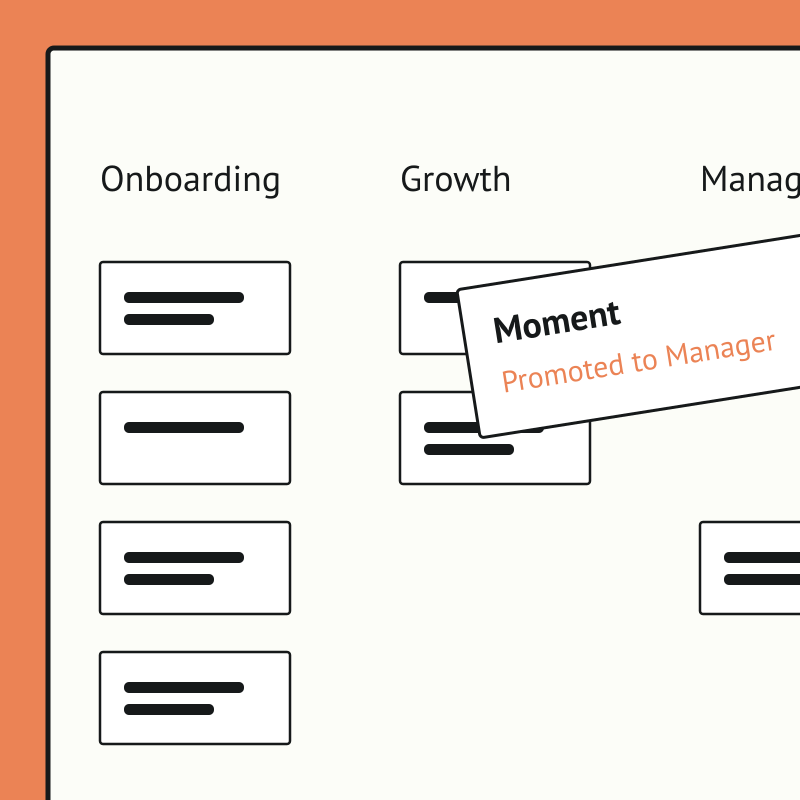
FreeEmployee Journey Map for Gusto Teams
Map every moment that matters, together, without the sticky notes.
Top brands trust Pyn



Pyn's free Employee Journey Designer turns a daunting, whiteboard-and-sticky-notes exercise into a fast, collaborative map of every moment that matters, from before day one to after the last day. Teams start from hundreds of ready-made moments and touchpoints rather than a blank page.
Employee Journey Map is free, and it runs standalone for now — you can start using it today by uploading your own people data (exported from Gusto, for example). If there's enough interest we'll build a direct Gusto integration so it syncs automatically. Book a demo and we can cover it.
The payoff is clarity and alignment. People teams can see the whole experience, prioritize what to improve, assign owners, and get cross-functional buy-in, so effort goes where it lifts the experience most.
Your people data is in Gusto. Pyn puts it to work.
Gusto knows when someone starts, gets promoted, changes teams, or hits their anniversary. Pyn uses that data to:
- Send timely messages to the right person - through Slack, email, or Teams.
- Send polls and forms - like probation checks or onboarding buddy selection.
- Automate integrations - like adding people to a Calendar invite or Slack group.
- Set your HR Calendar - to manage salary reviews, holidays or company events.
No manual emails. No spreadsheets. No one has to remember.
Why connect Pyn and Gusto?
Automate the repetitive stuff. New hire starting Monday? Pyn sends the welcome sequence, nudges the manager, loops in IT, and assigns a buddy. You choose which Gusto fields to import, and Pyn can trigger off any of them.
Make messages feel personal. Pyn tailors content by department, location, and role — so a new sales hire in Chicago and an engineer in London get different experiences. Messages come from their actual manager, not a generic HR address.
Cover the whole lifecycle. Onboarding is just the start. Pyn also handles things like promotions, anniversaries, parental leave returns, and offboarding — or any other moment driven by a change in Gusto.
Keep managers in the loop. When someone joins their team, Pyn sends prep reminders, check-in prompts, and conversation starters: through Slack, Teams, or email, wherever they actually work.
How to connect
Does Pyn integrate with Gusto?
Yes. Pyn connects to Gusto via a secure authorized connection. Connect in minutes — no dev team needed.
What data syncs from Gusto?
Employee directory details (email, department, location, team), start and termination dates, job information, etc. You control which fields are active in Pyn.
How long does setup take?
Minutes. Authorize the connection from your Gusto account, choose your fields, done.
How often does data sync?
Hourly. Pyn checks for changes every hour so your automations always reflect current data.
FAQs
Can I personalize messages by department or location?
Yes. Pyn uses any Gusto field to tailor content. You can show or hide sections based on role, location, team, or anything else in your HRIS.
Does Pyn only work for onboarding?
No. Pyn covers the full employee lifecycle — pre-boarding, onboarding, promotions, anniversaries, leave, offboarding, and more.
Where do messages get delivered?
Slack, Microsoft Teams, or email — wherever your people actually work.
Is my data secure?
Pyn is SOC 2 compliant. We only pull the data needed to trigger automations.
Your HR stack, with superpowers.
Pick the tools you need. Launch in a day. Cancel anytime.