 Free
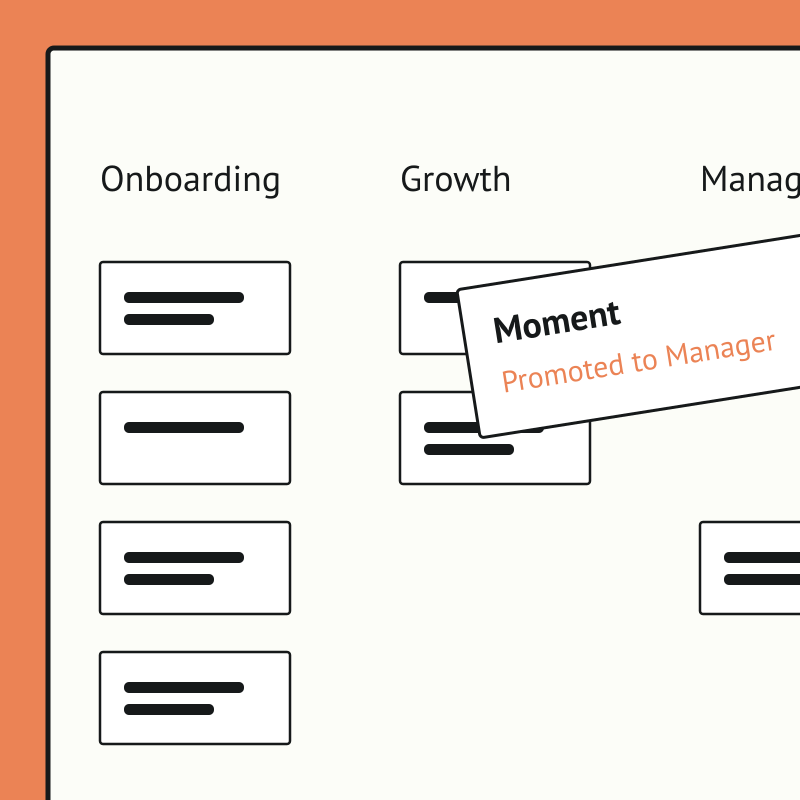
FreeEmployee Journey Map for Salesforce Teams
Map every moment that matters, together, without the sticky notes.
Top brands trust Pyn



Pyn's free Employee Journey Designer turns a daunting, whiteboard-and-sticky-notes exercise into a fast, collaborative map of every moment that matters, from before day one to after the last day. Teams start from hundreds of ready-made moments and touchpoints rather than a blank page.
Employee Journey Map is free, and it runs standalone for now — you can start using it today by uploading your own people data. If there's enough interest we'll build a direct Salesforce integration so it syncs automatically. Book a demo and we can cover it.
The payoff is clarity and alignment. People teams can see the whole experience, prioritize what to improve, assign owners, and get cross-functional buy-in, so effort goes where it lifts the experience most.
Your pipeline lives in Salesforce. Pyn turns it into coaching.
Salesforce knows when a rep closes their first deal, misses quota, moves into a new segment, or joins the team. Pyn uses those signals to:
- Send timely coaching nudges to managers - through Slack, email, or Teams.
- Ramp new reps - with onboarding sequences that follow their first weeks in the field.
- Prompt the right conversation - like a check-in after a slow month or a nudge to celebrate a big win.
- Reinforce the playbook - surfacing enablement content at the moment it’s actually useful.
No manual tracking. No spreadsheets. No manager has to notice on their own.
Why connect Pyn and Salesforce?
Turn CRM changes into coaching moments. New rep booking their first opportunity? Pyn nudges the manager to acknowledge it. Pipeline slipping? Pyn prompts a coaching conversation before the quarter’s on the line. You choose which Salesforce fields to watch, and Pyn can trigger off any of them.
Ramp new sales hires faster. Onboarding a rep is more than a welcome email. Pyn runs a ramp journey that tracks their first deals, first calls, and first milestones in Salesforce — sending the right enablement content and manager prompts at each step.
Make the nudges feel personal. Pyn tailors content by role, segment, and team — so an SMB rep in Austin and an enterprise AE in New York get coaching that fits their patch. Prompts come from their actual manager, not a generic address.
Keep managers ahead of the numbers. When something shifts on a rep’s account, Pyn sends the manager prep reminders, check-in prompts, and conversation starters: through Slack, Teams, or email, wherever they actually work.
How to connect
Does Pyn integrate with Salesforce?
Yes. Pyn connects to Salesforce via API. Your Salesforce admin authorizes the connection and Pyn guides you through the setup.
What data syncs from Salesforce?
The fields needed to trigger coaching: rep and manager details, opportunity and deal stages, quota and pipeline changes, and segment or territory. You control which fields are active in Pyn.
FAQs
Can Pyn send nudges to managers instead of reps?
Yes. Pyn can route messages to managers, reps, or both — so a change in a rep’s pipeline can trigger a coaching prompt to their manager.
Can I personalize messages by segment or team?
Yes. Pyn uses any Salesforce field to tailor content. You can show or hide sections based on role, segment, territory, or anything else in the CRM.
Does Pyn only work for sales onboarding?
No. Pyn covers the whole employee lifecycle — pre-boarding, onboarding, ramp, coaching, promotions, and more — alongside sales-enablement nudges.
Where do messages get delivered?
Slack, Microsoft Teams, or email — wherever your people actually work.
Is my data secure?
Pyn is SOC 2 compliant. We only pull the data needed to trigger automations.
Your HR stack, with superpowers.
Pick the tools you need. Launch in a day. Cancel anytime.