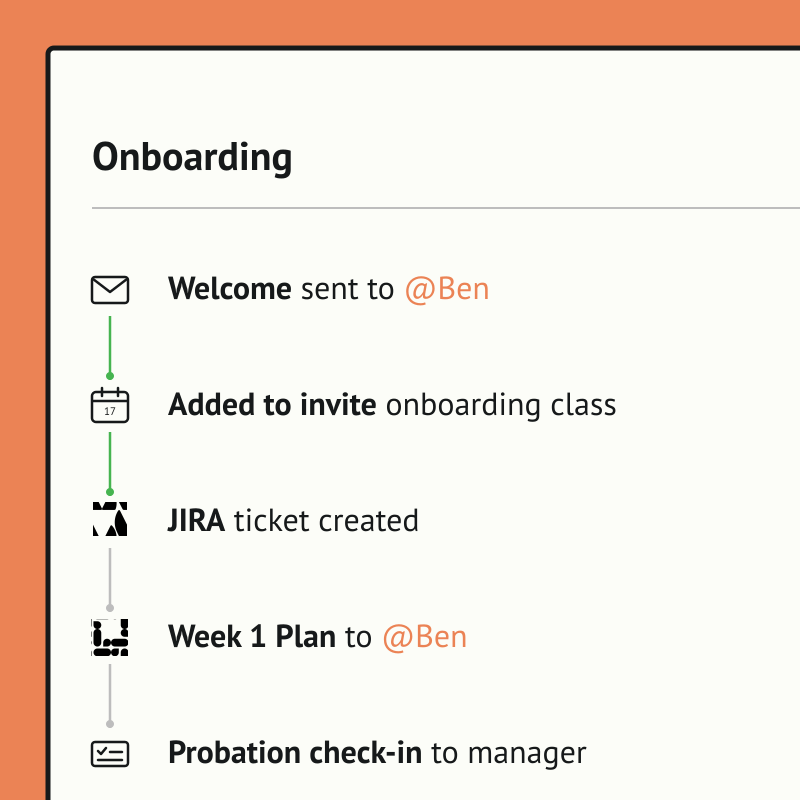
 $1 / employee / month
Automated Onboarding Using Jira
Personalize every new hire experience and save HR admin time (a lot!)
Top brands trust Pyn





Pyn gives people teams back the hours lost to manual onboarding: the repetitive emails, scheduling, and nudging managers, freeing them for higher-value strategic work. It also de-risks the process. Nothing slips through the cracks, every hire gets a consistent experience, and completion tracking proves it's working.
Because Pyn connects to Jira, each step becomes a real task with an owner and a due date, populated with the employee's name, start date, and role. From there every message is personalized by role, team, and location, delivered where people already work — and nothing slips.
At the same time, it scales a personal, human touch across the whole company. Every new hire feels individually looked after, strengthening engagement without adding headcount.
Features Spotlight
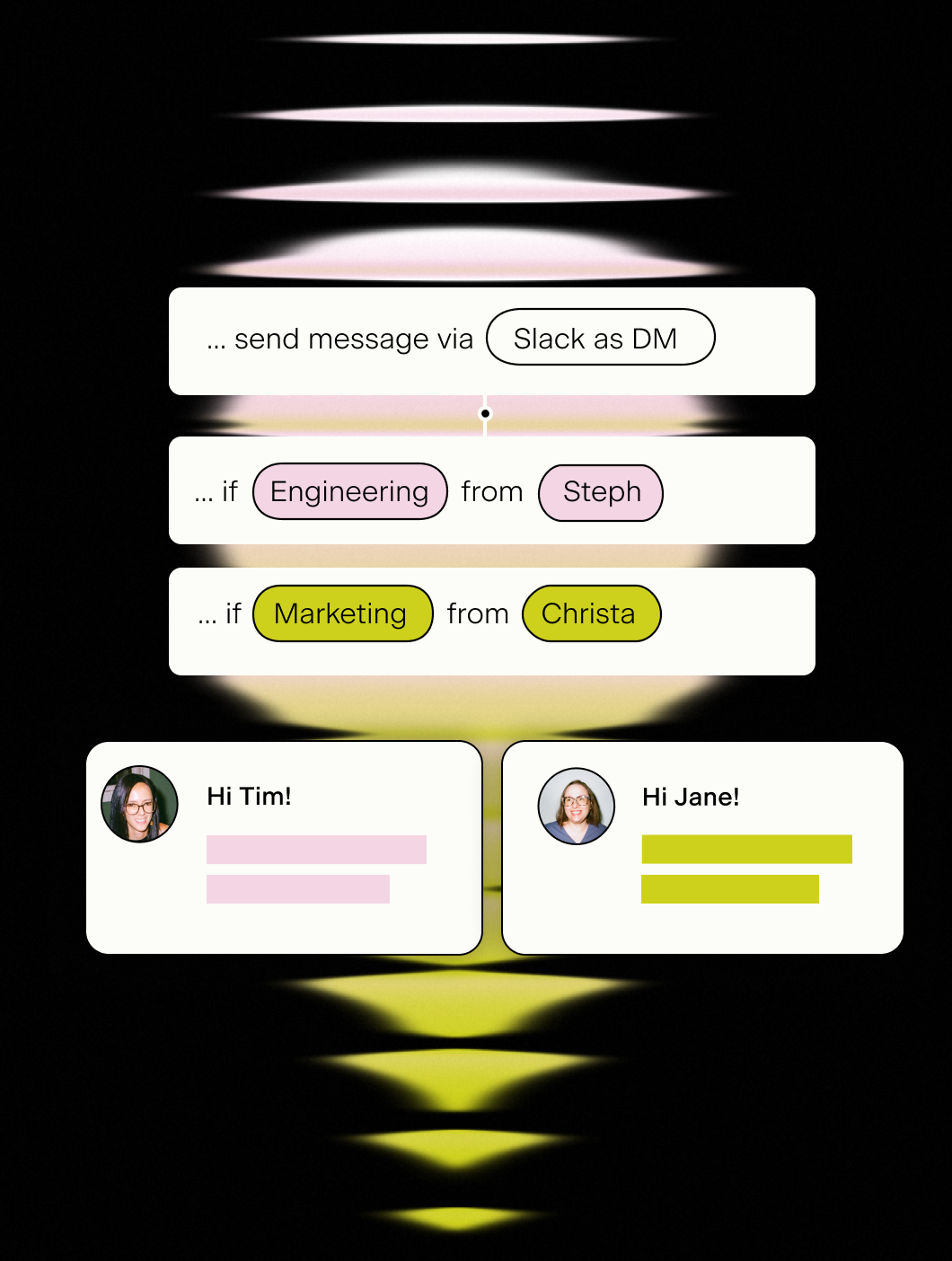
DM people via Slack or Email
- Send from a real person in HR
- Send from an alias, like 'the People Team'
- Send to individuals or to shared #channels
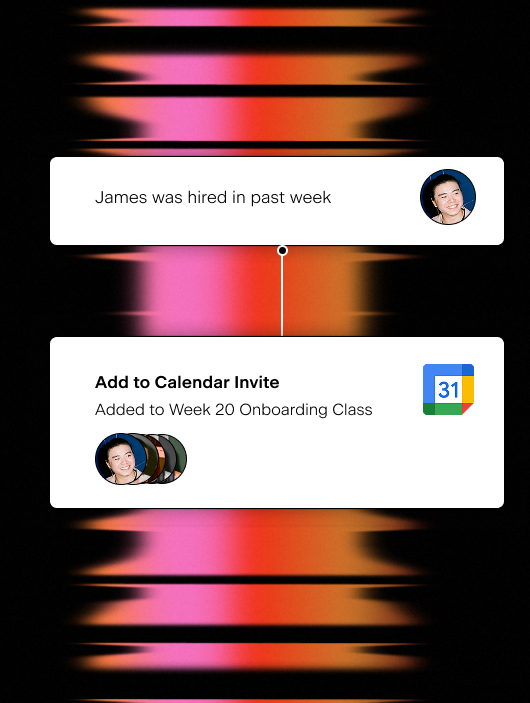
Add starters to events
- Auto-add hires to existing calendar invites
- Easy management of cohorts or classes
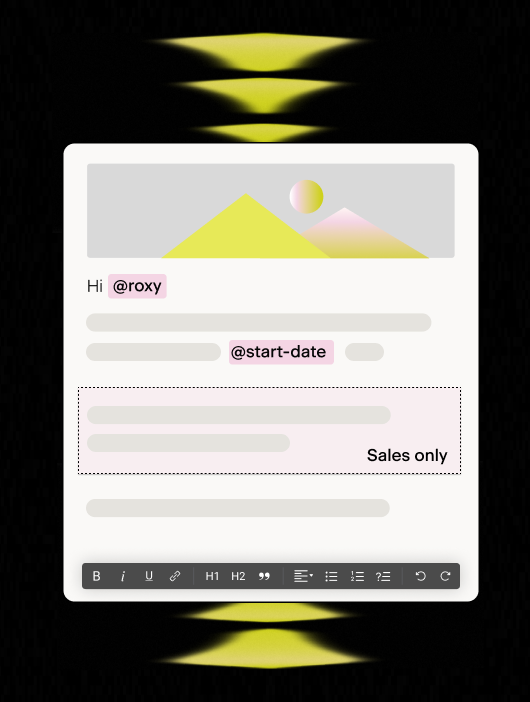
Personalize every message
- Send a message unique to every employee
- Vary content by things like role, department, or location
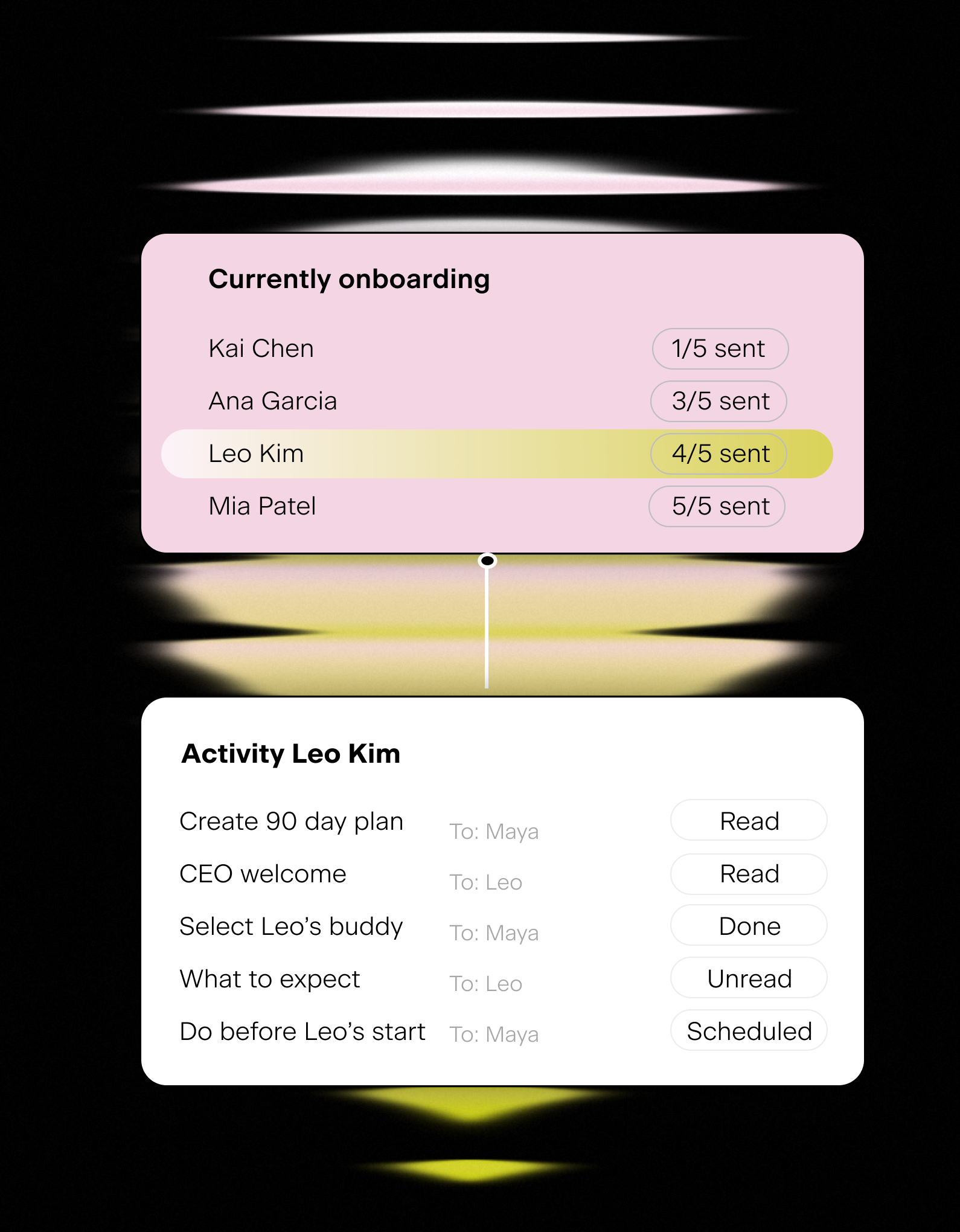
Keep track
- Track readership, action rates, and links
- Don't waste time emailing - instead monitor progress
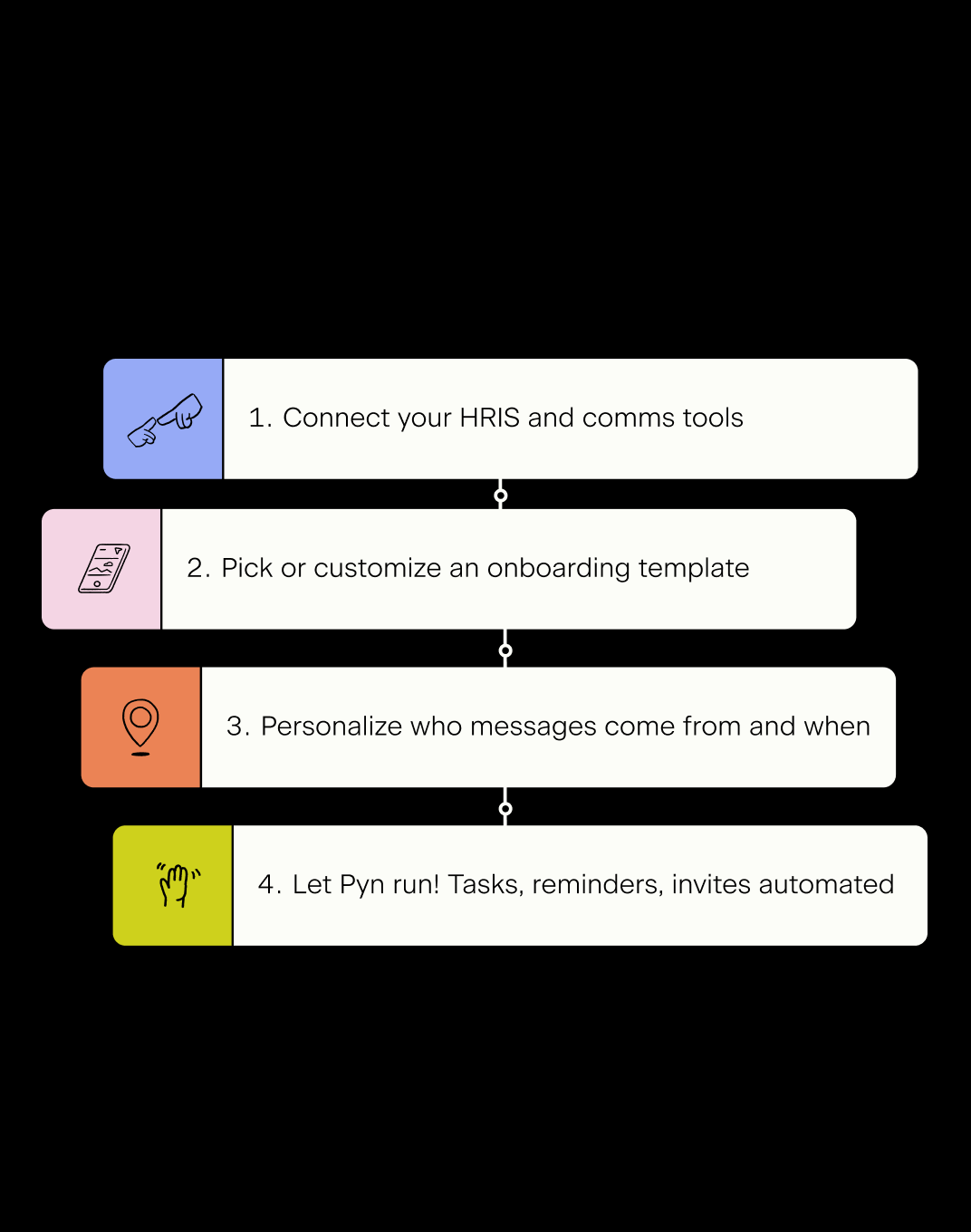
How to get started
- Move from manual to a highly personalized and automated process quickly
The ticket’s already open.
Every time something significant happens in the employee lifecycle, IT needs to know about it. Someone joins — accounts need provisioning. Someone leaves — access needs revoking. Someone gets promoted — permissions need updating. And in most companies, someone in HR ends up manually pinging IT to kick all of that off.
Connect Jira to Pyn, and that handoff happens automatically.
What it does
Pyn can send an automated message to your Jira project’s email address as a step inside any Flow. That message becomes a Jira ticket with employee data tokens populating the employee’s name, role, team, and any other relevant details automatically.
By the time your team opens Jira, the ticket is already there.
What you can automate
Onboarding provisioning — When a new hire is enrolled, create tickets for account setup, software licenses, hardware, and system access — with the employee’s name, start date, and job title already in the ticket. IT can get started without waiting for an email from HR.
Offboarding and access revocation — When a departure is recorded in your HRIS, Pyn can automatically open a ticket for IT to revoke access, disable accounts, and arrange equipment return. The same secure, consistent process every time — no chasing, no gaps.
Role changes and permission updates — A promotion or team transfer often means a change in what systems someone can access. Pyn can trigger a Jira ticket the moment a role change is recorded, so your team knows exactly what needs updating without HR having to flag it separately.
Return from leave — When an employee returns from parental leave or a sabbatical, accounts may need reactivating, access reinstating, and equipment sorting. Pyn can trigger those tickets automatically the moment the return date is reached in your HRIS.
How to connect
Does this require a direct API integration with Jira?
No. Pyn creates tickets by sending a message to your Jira project’s email address, using Jira’s own email handler. No API keys or OAuth connections are required.
FAQs
Can I include employee details like name and start date in the task?
Yes. Pyn tokens pull in employee data from your connected HRIS, so the task can include the new hire’s name, start date, job title, team, and more — as long as that data exists in your HRIS or ATS.
Can I create tickets in multiple Asana projects from a single Flow?
Yes. You can add multiple ticket creation steps to a single Flow, each pointing to a different Jira project email alias. One enrollment can trigger tasks for IT, Ops, and any other team simultaneously.
Can I use this for automations other than onboarding?
Yes. Any Pyn Flow can include a Jira ticket step — for offboarding, role transitions, parental leave, or any lifecycle moment that requires action from IT or Ops.
Does Pyn also integrate with Asana?
Yes. If your team uses Asana instead of or alongside Jira, Pyn can automatically create Asana tasks using the same approach.
Does Pyn also integrate with other tools in my employee journey?
Yes. Most teams pair Jira with their HRIS connection — which provides the employee data that determines when Flows trigger — and their Slack or Microsoft Teams connection for message delivery.
Your HR stack, with superpowers.
Pick the tools you need. Launch in a day. Cancel anytime.